
The Wake-Up Call Most Business Owners Miss
Picture this: A potential customer is sitting in their car outside a competitor’s shop. They just searched for your service on their phone, clicked your website, and waited. The page loaded slowly, the text was tiny, and the buttons were impossible to tap. So they hit the back button – and called someone else.
That scenario plays out hundreds of times a day for businesses with outdated websites. And the painful truth is, most owners have no idea it’s happening.
If you’re running a business in Palm Harbor or anywhere in the Tampa Bay area, understanding the mobile optimized website importance isn’t optional anymore. It’s the difference between a phone that rings and one that doesn’t.

The Number That Changes How You See Your Website
Here’s a figure worth taking seriously.
According to Statista’s 2024 global traffic report, mobile devices now account for approximately 60% of all website traffic worldwide. That means the majority of people visiting your site right now are doing so from a smartphone – not a desktop, not a laptop, a phone.
Layer that on top of Google’s own research, which found that a one-second delay in mobile page load time can reduce conversions by up to 7%. For a local service business generating even $10,000 a month in revenue from its website, that single second of lag can cost thousands of dollars annually – invisibly, quietly, and consistently.
This isn’t a trend to watch. It’s a problem already happening on your site right now.
What a Non-Mobile-Friendly Site Is Really Costing You
Most business owners think about their website in terms of what it looks like on a desktop. That’s the wrong frame.
Your customers are searching on their phones – while they’re at work, watching TV, waiting in line, or sitting in their car. They make quick decisions. If your site doesn’t immediately communicate that you’re professional and easy to work with, they move on.
A poor mobile experience is rarely caused by one thing. It’s usually a combination of fixable structural errors working against each other. Our guide to website mistakes that kill your mobile experience walks through the five most common ones – with a 60-second audit checklist to diagnose your site right now.
Here’s what a poor mobile experience actually costs you:
- Lost leads – Visitors leave before filling out a contact form or calling
- Lower Google rankings – Google uses mobile-first indexing, meaning it ranks your site based on how it performs on mobile, not desktop
- Damaged credibility – A broken or outdated mobile site signals that your business may not be up to date in other areas too
- Higher bounce rates – More people leaving without taking action, which further hurts your search rankings
For service-based businesses – contractors, medical offices, law firms, home service providers – these aren’t abstract losses. Each bounced visitor is a real lead that went to a competitor.
Mobile optimization is one critical layer of a broader website strategy. To understand how it connects with your platform choice, conversion features, local SEO, and design approach, read our custom website design guide for Palm Harbor businesses – the starting point for any local business serious about generating leads online.
Responsive Design Benefits That Go Beyond Just “Looking Good”
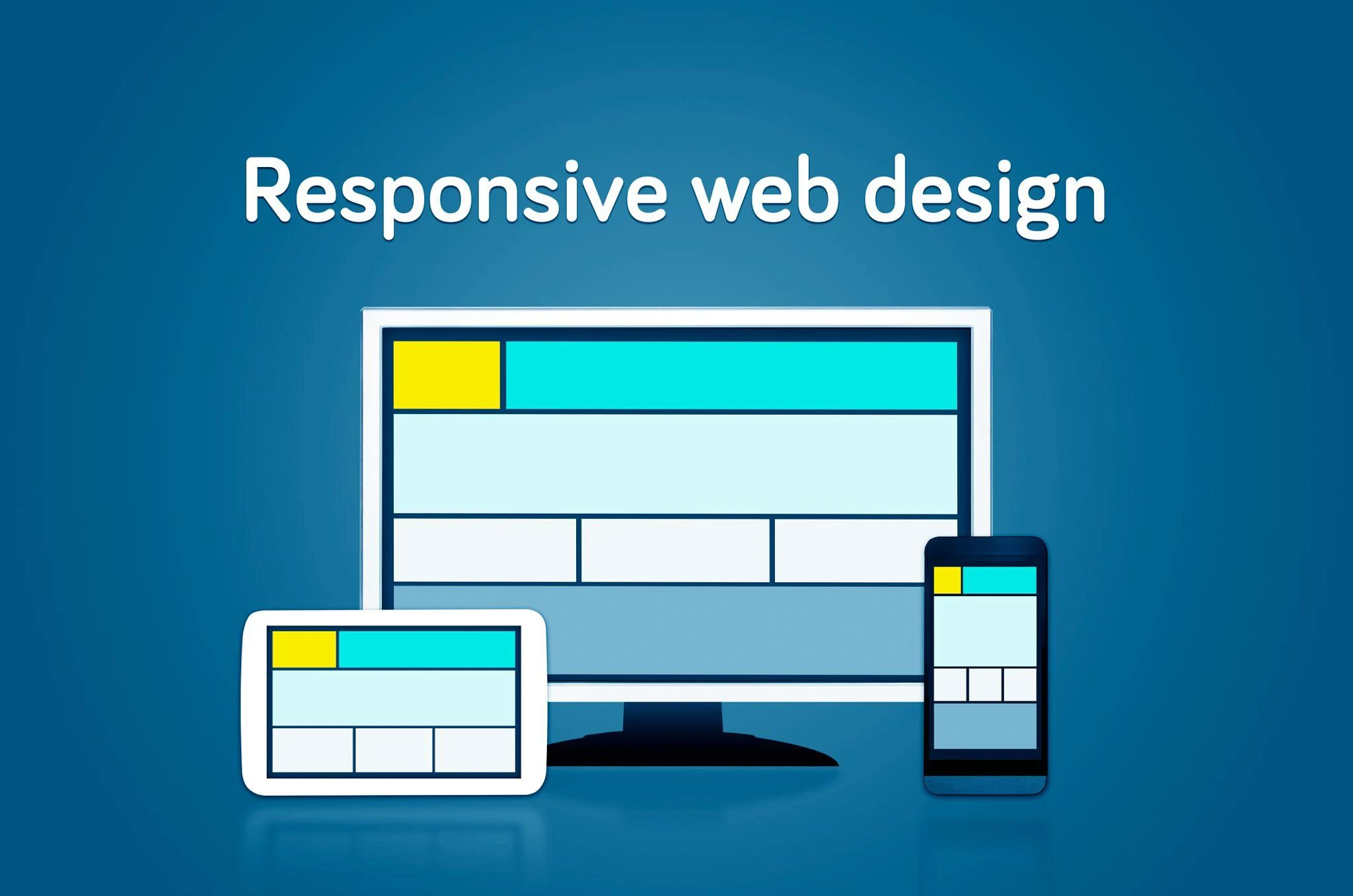
A lot of people hear “mobile-friendly website” and think it just means the site shrinks to fit a smaller screen. Responsive design benefits go much deeper than that.
A properly built responsive website:
- Adapts to every screen size automatically – Whether someone opens your site on a phone, tablet, or widescreen monitor, the layout shifts to give them the best experience without any extra work on your end.
- Loads faster on mobile networks – Responsive design, when done right, strips out unnecessary elements and optimizes images for smaller screens. Faster load times mean fewer people abandoning your site.
- Improves form usability – Tappable buttons, easy-to-fill contact forms, and click-to-call phone numbers make it simple for mobile users to take action. Removing friction is how you turn visitors into leads.
- Reduces maintenance costs – Instead of managing a separate mobile site and a desktop site, you maintain one codebase. That saves time and money long-term.
- Supports local SEO – Google’s algorithm rewards mobile-optimized websites with better local rankings. For a Palm Harbor business trying to show up in “near me” searches, this is critical.
A mobile-ready layout is the container – conversion features are what fill it. Our guide to mobile-specific conversion features that drive leads breaks down the ten highest-impact elements, including how each one performs differently on mobile versus desktop – and where to place them for maximum impact.
Mobile UX: The Experience That Earns Trust
Mobile UX – or mobile user experience – refers to how a person feels while using your site on their phone. It’s about more than layout. It’s about ease, speed, and confidence.
When a visitor lands on a well-designed mobile site, they don’t have to think. The navigation is clear, the information is easy to find, and the next step (call, fill out a form, book a consultation) is obvious.
When a visitor lands on a poorly designed mobile site, every click is a small frustration. Text overlaps. Menus are hidden. Forms are hard to type in. And with every frustration, trust erodes.
Here’s what strong mobile UX looks like in practice:
- Large, readable fonts – No zooming required
- Clear navigation – A simple menu that doesn’t require hunting
- Visible CTAs – Buttons that are easy to spot and tap
- Minimal clutter – Only the information that matters, in the right order
- Fast load time – Every second of delay reduces conversions
For local businesses in the Tampa Bay area, where competition is growing across every service category, a smooth mobile experience is one of the fastest ways to differentiate yourself.

Palm Harbor Businesses: Your Local Customers Are Already on Mobile
Palm Harbor is a growing community. New residents move in, local businesses compete for attention, and most of that discovery happens online – specifically, on mobile devices.
When someone searches “best dentist in Palm Harbor” or “painters near me in Tampa Bay,” Google serves results based in part on which websites are mobile-optimized and load quickly. If your site doesn’t meet those standards, you may not even appear in the results.
Local businesses that invest in a mobile friendly website aren’t just improving their design – they’re actively improving their ability to be found, chosen, and contacted by people already looking for exactly what they offer.
That’s the real value of mobile optimization for a local business. It’s not a cosmetic upgrade. It’s a competitive advantage.
Expert Insight: Mobile-First Isn’t a Trend – It’s Google’s Official Standard
This isn’t an industry opinion. It’s documented policy.
In its official Search Central documentation, Google confirmed that mobile-first indexing is now the default for all websites. This means Google’s crawlers evaluate your mobile site first when deciding how and where to rank you in search results. Your desktop experience is treated as secondary.
Google measures mobile performance through a framework called Core Web Vitals – three specific metrics that assess load speed (Largest Contentful Paint), visual stability (Cumulative Layout Shift), and interactivity (Interaction to Next Paint). Sites that pass these thresholds receive a ranking advantage. Sites that fail are quietly deprioritized.
At West Bay Website, when we audit sites for Tampa Bay-area businesses, failing Core Web Vitals on mobile is the single most common issue we find – even on sites that look perfectly fine on a desktop. The problem is almost always invisible to the owner until they see their rankings or lead volume drop.
Build for mobile first. Scale up to desktop second. Getting the order right from the start saves money and protects your search rankings long-term.
Mobile design is moving fast, and some of the most impactful changes happening right now are invisible to the visitor but critical to Google. Our guide to mobile website trends to implement in 2026 covers what’s changing, what’s staying, and what Palm Harbor businesses should prioritise this year.
What to Look for When Auditing Your Own Site
Before you invest in a redesign, do a quick gut-check. Pull up your website on your personal smartphone right now and ask yourself:
- Does the page load in under three seconds?
- Can you read the text without zooming?
- Are the buttons and links easy to tap?
- Does the navigation make sense on a small screen?
- Is your phone number clickable (click-to-call)?
- Does the contact form work without frustration?
If you answered no to more than two of these questions, your website is actively losing leads right now. West Bay Website can show you exactly where – and what it would take to fix it.
Your Next Step: From Mobile Problem to Mobile Advantage
Understanding the mobile optimized website importance isn’t about keeping up with technology trends. It’s about making sure your business shows up, earns trust, and converts visitors into customers – on the devices your customers actually use.
Knowing what the problem is and knowing how to fix it are two different things. That’s where having the right team matters.
A mobile friendly website isn’t a luxury for small businesses in Palm Harbor and the Tampa Bay area. It’s a baseline expectation. And for businesses that get it right, it becomes one of their most consistent tools for generating qualified leads month after month.
If mobile optimization is a gap in your current site, the practical question is what it costs to fix – and whether that means a patch or a rebuild. Our guide to what mobile-optimized website design costs in Palm Harbor breaks down realistic local pricing so you can plan a budget before reaching out to anyone.
Ready to find out exactly how your site performs on mobile? West Bay Website offers a free website audit for local businesses in the Tampa Bay area. Book your consultation today and get a clear picture of what’s holding your site back – and a straightforward plan to fix it.